Configuring Visual Studio Code to look like Spyder
In this short post, I will go over the steps I use to make Visual Studio Code (VSCode) act a little more like Spyder. Overall, Spyder is a great IDE for developing Python code. It is basically the MATLAB of the Python world. However, I find that its code suggestions, linting, and other features (like AI 🤮) are lacking. I also find myself using VSCode for other programming tasks, and it is just nice to have one IDE for everything. As a result, I spent some time exploring how to make it act and look a little more like Spyder.
Additional Resources:
For my personal use there are three things in Spyder that I appreciate:
Interactive matplotlib with ipympl
IPython Console
Variable Explorer
Interactive matplotlib with ipympl
Assuming we are already using a python virtual environment with the following installed:
pip install matplotlib
pip install ipympl
pip install pyqt5
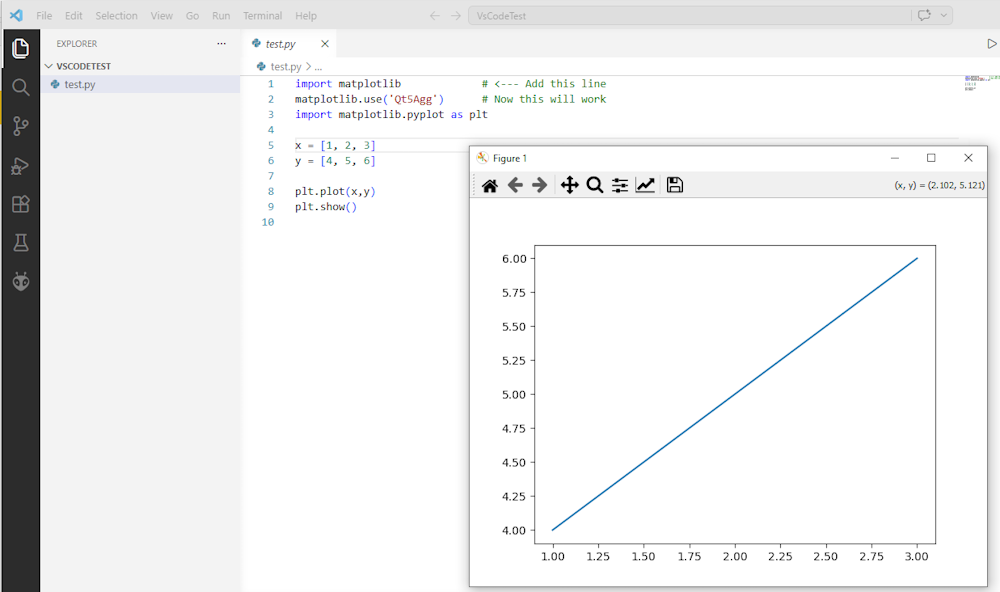
In VSCode all we need to do is include the following at the top of our python script:
import matplotlib
matplotlib.use('Qt5Agg')
For example:
IPython Console and Variable Explorer
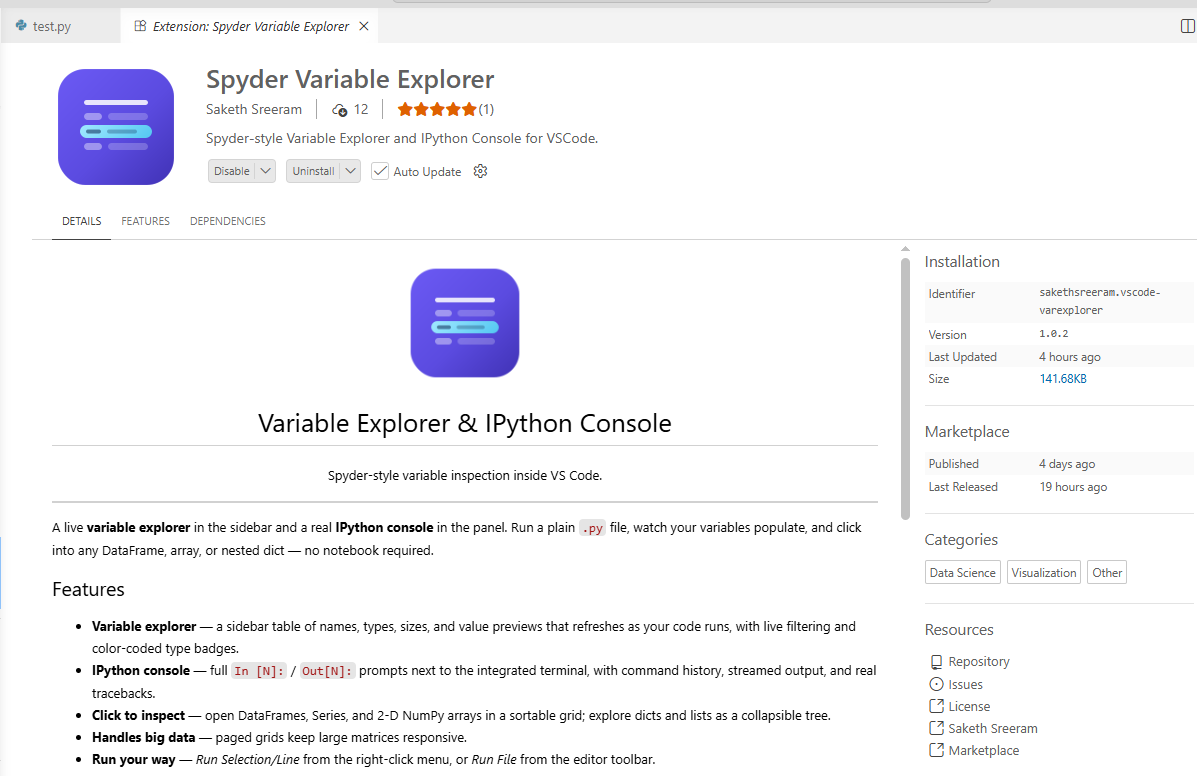
The next thing we want to add is the IPython Console and variable explorer. Fortunately there is an extension that can do this for us!
Install the Spyder Variable Explorer extension by Saketh Sreeram in VSCode.
Once installed follow the following commands (hopefully this process can be cleaned up in the future):
Open a Python file.
Run Variables: Start Console from the Command Palette (Ctrl/Cmd+Shift+P).
Run your code — variables appear in the sidebar as they're created. Click any row to inspect it.
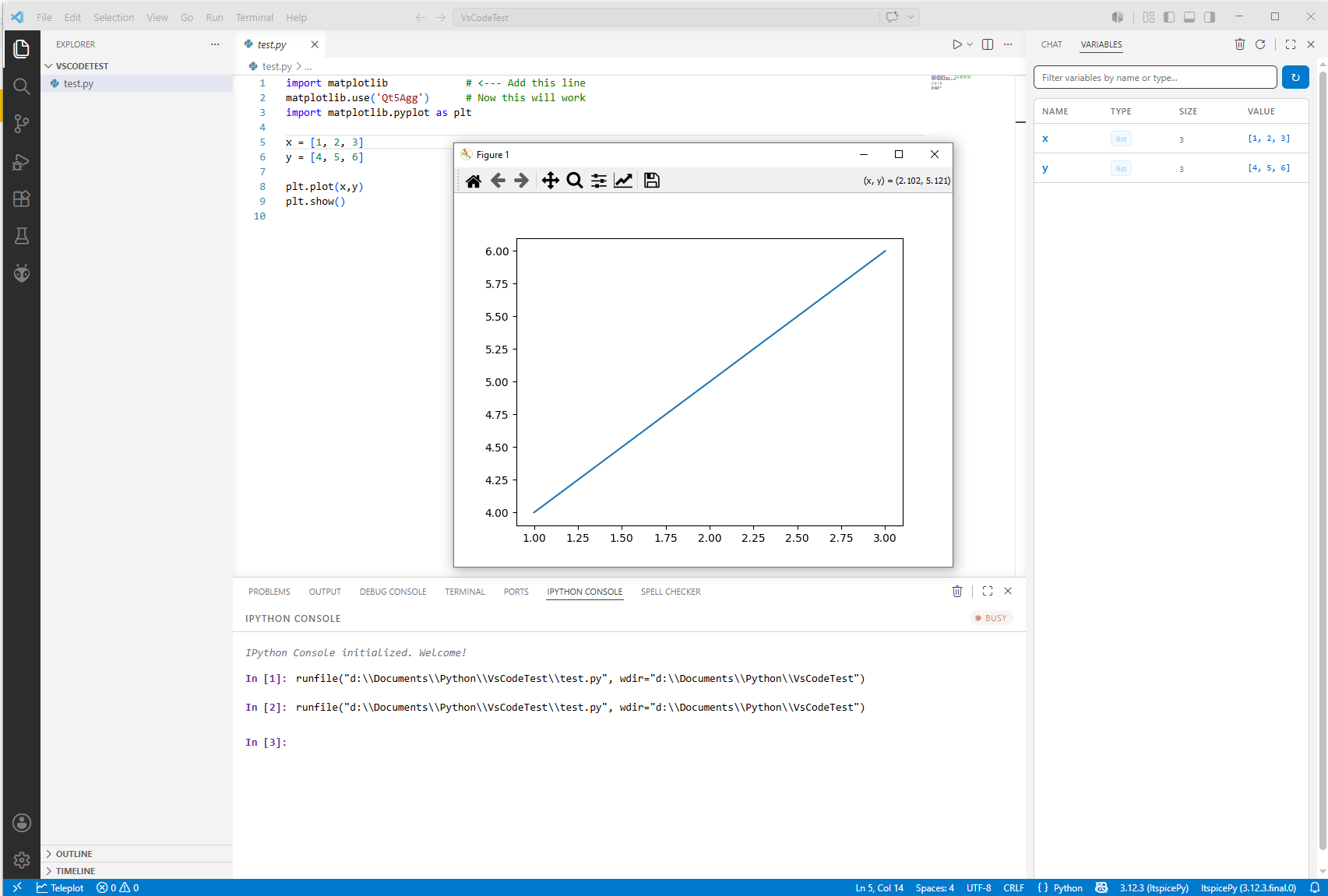
After running step 2 you get a run button to run your script in the Ipython Console and the Variable Explorer (which I moved to the right side / secondary panel)
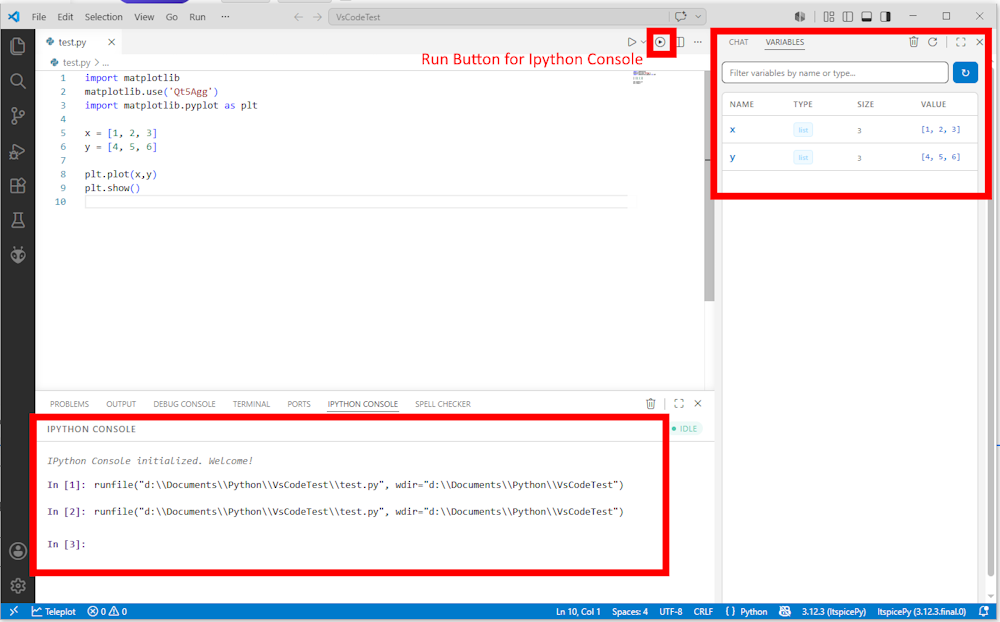
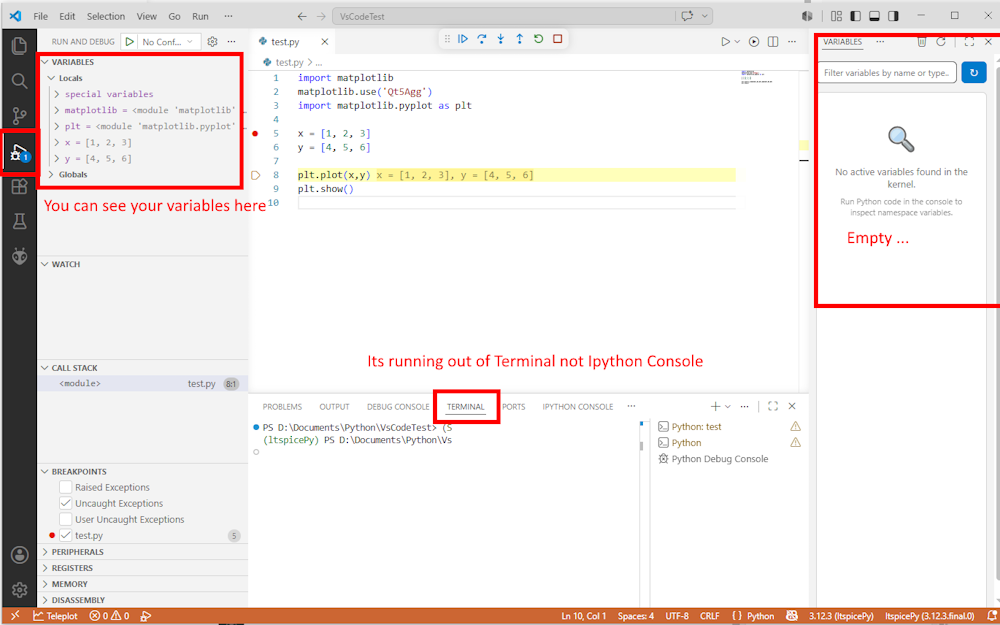
One slight limitation at the time of writing is that the variable editor does not update while we are debugging our code.
( so this part could be completely wrong by the time you are reading it )
This looks to be because VSCode is running the debugger inside the terminal rather than Ipython Console.
Fortunately this doesn’t really matter as VSCode will show you all your variables.